

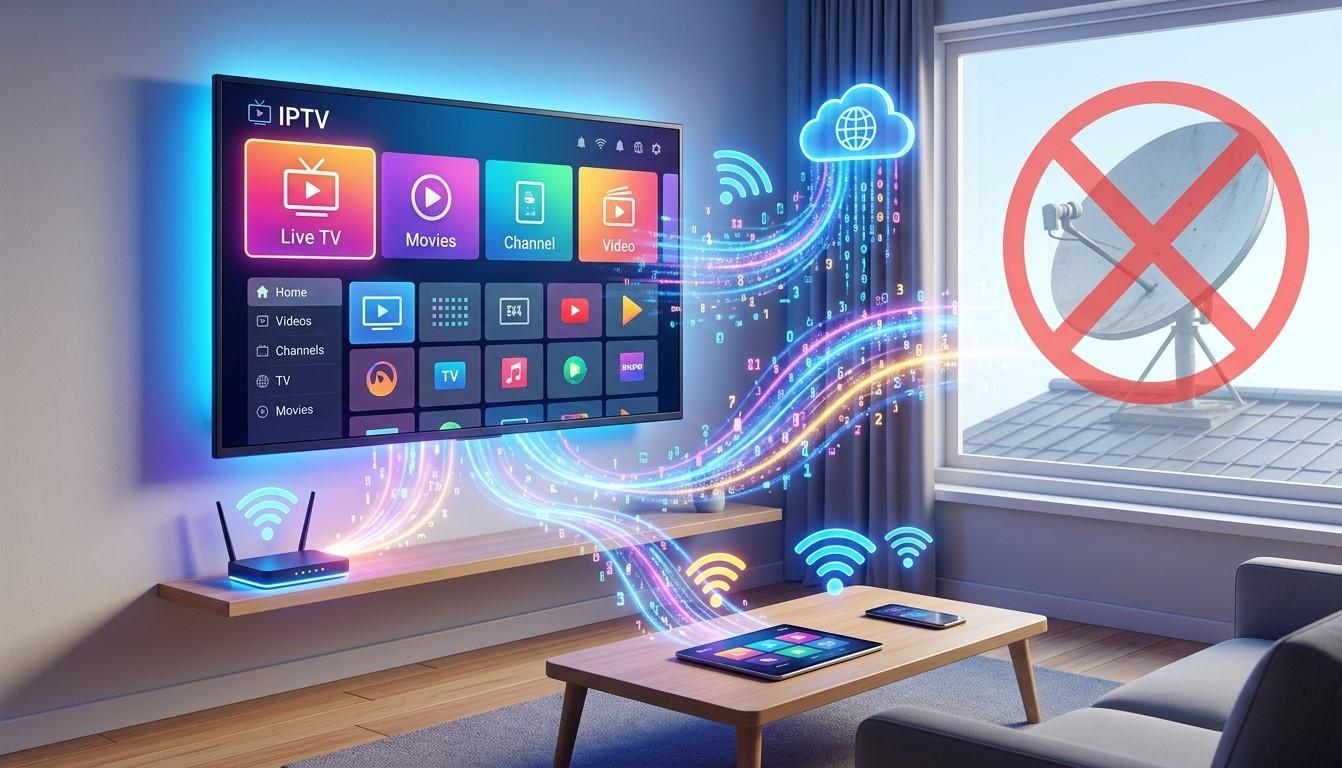

For many years, watching television meant connecting a TV to a cable line or installing a satellite dish. Today, internet-based television provides another way to access live and on-demand programming. This technology is commonly known as IPTV, or Internet Protocol Television.
Unlike traditional satellite television, IPTV can deliver television content through an internet connection rather than requiring a satellite dish. This makes IPTV an interesting option for viewers who already have reliable broadband internet and compatible television equipment.
If you are exploring IPTV India, understanding how the technology works can help you decide what equipment and internet connection you need. An Indian IPTV Box can also provide a convenient way to access compatible IPTV services on a television.
This guide explains how IPTV works without a satellite dish, what equipment is required, and what viewers should know before getting started.
Table of Contents
- What Is IPTV?
- How Does IPTV Work?
- Why Doesn't IPTV Need a Satellite Dish?
- What Equipment Do You Need for IPTV?
- How Does an IPTV Box Connect to the Internet?
- IPTV vs. Satellite TV
- Does IPTV Need a Fast Internet Connection?
- Benefits of Using IPTV Without a Dish
- Common IPTV Questions and Problems
- How to Get Started With IPTV
- Frequently Asked Questions
- Final Thoughts and CTA
What Is IPTV?
IPTV stands for Internet Protocol Television. It refers to television content delivered using internet protocol networks.
Instead of receiving television signals from a satellite dish, IPTV services can deliver supported programming over an internet connection. The content is transmitted as digital data and received by a compatible device.
Depending on the service, IPTV may provide access to:
- Live television channels
- Movies and TV shows
- Video-on-demand content
- Electronic Program Guides (EPGs)
- Catch-up or replay features
- Regional programming
The exact features and content available depend on the IPTV provider, application, device, and applicable broadcasting rights.
How Does IPTV Work?
The basic concept behind IPTV is relatively straightforward.
Step 1: Content Is Prepared
A television broadcaster or authorized content provider prepares programming for digital distribution.
This can include live television broadcasts, recorded programs, movies, and other supported content.
Step 2: Content Is Delivered Through a Network
Instead of sending the television signal directly to a satellite dish, the authorized service distributes the content through an IP-based network.
The content is divided into digital data packets that can travel across internet networks.
Step 3: Your Internet Connection Receives the Data
Your home internet connection receives the data from the IPTV service.
A stable connection is important because live streaming requires a continuous flow of data.
Step 4: Your IPTV Device Processes the Stream
An IPTV application, smart TV, streaming device, or Indian IPTV Box receives and processes the stream.
The device converts the digital data into audio and video that your television can display.
Step 5: You Watch the Content
Once the stream has been processed, the television displays the programming on your screen.
This entire process happens through your internet connection, meaning a satellite dish is not required for an internet-based IPTV service.
Why Doesn't IPTV Need a Satellite Dish?
Satellite television and IPTV use different methods for delivering content.
A satellite television system generally receives signals from satellites orbiting the Earth. A satellite dish installed at your property collects those signals and sends them to compatible receiving equipment.
IPTV, by contrast, uses IP networks to deliver digital content.
Think of it this way:
Satellite TV:
Broadcaster → Satellite → Satellite Dish → Receiver → TV
IPTV:
Content Provider → Internet/IP Network → IPTV Device/App → TV
Because IPTV uses an internet connection rather than satellite transmission to reach the viewer's device, there is no requirement for a satellite dish.
What Equipment Do You Need for IPTV?
One of the attractive aspects of IPTV is that you may not need a complicated satellite installation.
A typical setup can include:
1. Television
You can use a compatible Smart TV or a regular television connected to a suitable streaming device.
2. Internet Connection
A reliable broadband connection is essential for internet-based television.
3. IPTV Application or Compatible Device
Depending on your setup, you may use an IPTV application directly on a Smart TV or through a compatible streaming device.
4. IPTV Box
An Indian IPTV Box or another compatible IPTV device can connect your television to an authorized IPTV service.
5. Remote Control
Most dedicated IPTV boxes come with a remote that lets you navigate channels, menus, guides, and other supported features.
How Does an IPTV Box Connect to the Internet?
An IPTV box typically connects to your home network through either Wi-Fi or an Ethernet cable.
Wi-Fi Connection
Wi-Fi allows the IPTV box to connect wirelessly to your router.
This can be convenient when your router is located away from the television.
However, wireless performance can be affected by distance, walls, interference, and network congestion.
Ethernet Connection
An Ethernet cable connects the IPTV box directly to your router.
A wired connection can provide a more consistent network connection, which can be useful for streaming live television.
After connecting to the internet, you generally open the appropriate authorized IPTV application or service and sign in or configure it according to the provider's instructions.
IPTV vs. Satellite TV
Understanding the differences can help explain why IPTV does not require a dish.
| Feature | IPTV | Satellite TV |
|---|---|---|
| Main delivery method | Internet/IP network | Satellite signal |
| Satellite dish required | No | Generally yes |
| Internet required | Yes | Not necessarily for traditional satellite reception |
| Installation | Usually device and network setup | Dish and receiver installation |
| Connection type | Wi-Fi/Ethernet | Satellite signal |
| Content availability | Depends on IPTV provider | Depends on satellite provider |
| Weather impact | Internet/network dependent | Satellite signal can be affected by severe weather |
Neither technology works exactly the same way. The right setup depends on your location, internet availability, equipment, and the television services you want to access.
Does IPTV Need a Fast Internet Connection?
IPTV depends on your internet connection, so network quality can affect the viewing experience.
The required speed varies depending on factors such as:
- Video resolution
- Compression technology
- Number of simultaneous streams
- Network congestion
- IPTV service infrastructure
- Other devices using your connection
Higher-resolution video generally requires more bandwidth than lower-resolution video.
A stable connection is often just as important as raw download speed. Even a fast connection can experience interruptions if there are problems with Wi-Fi coverage, network congestion, or the service itself.
Benefits of Using IPTV Without a Dish
Easier Installation
Without a satellite dish, there is no need to mount and align a dish on a roof or exterior wall.
Flexible Placement
An IPTV device can generally be placed wherever you have a compatible television and network connection.
Internet-Based Access
If you already have reliable broadband internet, IPTV can use your existing home network.
Compatibility With Modern Devices
Many IPTV services and applications can work with Smart TVs, streaming devices, computers, tablets, and compatible IPTV boxes, depending on the service.
Convenient Channel Navigation
Compatible IPTV applications may offer features such as channel lists, favorites, search, and electronic program guides.
Common IPTV Questions and Problems
Even though IPTV does not require a satellite dish, users can still experience technical problems.
Buffering
Buffering may be caused by network congestion, weak Wi-Fi, insufficient bandwidth, or issues with the IPTV service.
Try checking your internet connection and, where possible, using Ethernet instead of Wi-Fi.
Channels Not Loading
A channel may fail to load because of a service-side issue, expired authorization, incorrect configuration, or network problem.
Check the service status and your account configuration before changing device settings.
Poor Picture Quality
Poor video quality can result from bandwidth limitations, network instability, device settings, or the source stream.
IPTV Box Not Connecting
Check the Wi-Fi password, Ethernet cable, router, and network settings. Restarting the relevant equipment can also resolve temporary connection issues.
How to Get Started With IPTV
If you want to move from traditional television equipment to IPTV, start with a few basic steps.
1. Check Your Internet Service
Make sure your broadband connection is suitable for streaming.
2. Choose Compatible Equipment
Decide whether you will use a Smart TV application, streaming device, or dedicated Indian IPTV Box.
3. Choose an Authorized IPTV Service
Check the provider's available channels, supported devices, subscription terms, and regional availability.
4. Install or Configure the Service
Follow the provider's instructions for installing the application or configuring the compatible device.
5. Test Your Connection
Before watching an important live program, test the service to make sure your internet connection and device are working correctly.
Frequently Asked Questions
Can IPTV work without a satellite dish?
Yes. IPTV can deliver supported television programming through an internet/IP network, so a satellite dish is not required for the IPTV delivery method.
Does IPTV require internet?
Yes. Internet-based IPTV relies on a network connection to receive streaming content.
Can I use IPTV on a normal television?
Yes, if the television can be connected to a compatible IPTV device or streaming device. A dedicated IPTV box can provide this connection for compatible services.
Is an IPTV box the same as a satellite receiver?
No. An IPTV box and satellite receiver use different technologies. An IPTV box generally connects to an internet network, while a satellite receiver is designed to receive satellite television signals.
Can I use Wi-Fi for IPTV?
Yes, compatible IPTV devices can often connect through Wi-Fi. For a more consistent connection, Ethernet may be preferable when it is practical.
Does IPTV work during bad weather?
Because IPTV uses an internet connection rather than receiving a satellite signal directly, it does not experience satellite-signal loss caused specifically by rain or storms. However, severe weather can still affect your electricity, internet service, or network infrastructure.
Can I watch Indian channels through IPTV?
Availability depends on the IPTV provider, its channel lineup, licensing arrangements, and your location. Always use authorized services for television content.
Final Thoughts
IPTV provides a different approach to television delivery by using internet protocol networks instead of traditional satellite transmission. This is why viewers can use IPTV without installing a satellite dish.
The basic setup is straightforward: you need a suitable internet connection, a compatible television or device, and an authorized IPTV service. A compatible Indian IPTV Box can also connect your television to an IPTV service and provide a dedicated interface for navigating supported programming.
If you're considering IPTV India, understanding the technology, network requirements, equipment options, and service limitations can help you create a more reliable home entertainment setup.
CTA
Ready to explore internet-based television? Learn more about IPTV India and discover compatible Indian IPTV Box options for your home viewing setup. Before subscribing, check the available channels, supported devices, connection requirements, and applicable service terms.
