

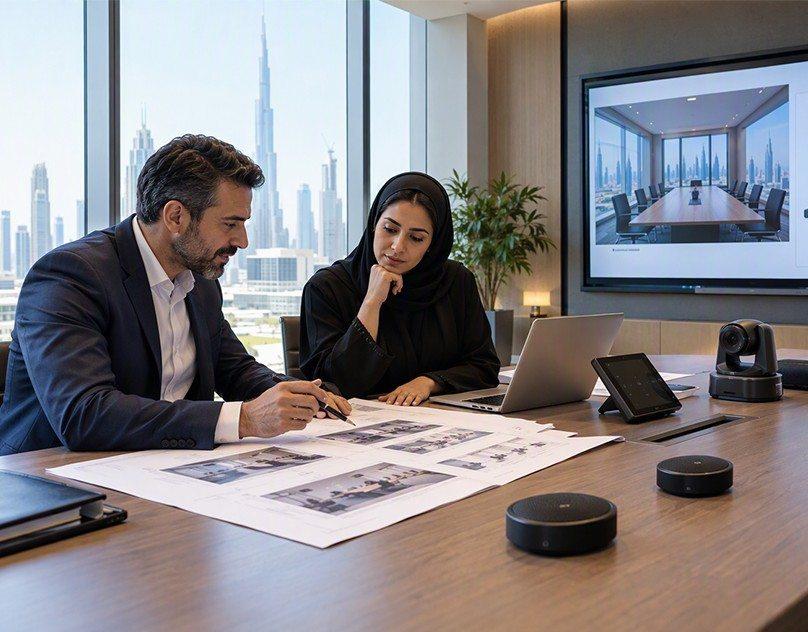

Clear audio is important for every conference room. Whether people are attending a meeting in person or joining through a video call, they need to hear every speaker without difficulty. Poor sound can make meetings confusing and waste time. Understanding AV integration Services UAE also helps explain how different audio devices, microphones, speakers, and meeting systems work together to provide better sound quality.
Several factors can affect audio quality in conference rooms. These include room design, microphone placement, speaker position, background noise, and incorrect equipment settings. Even a room with expensive audio equipment can have sound problems if the system is not planned or installed correctly.
1. Poor Microphone Placement
Microphone placement is one of the most common reasons for poor audio quality in conference rooms. If a microphone is too far from the speaker, it may not capture the person's voice clearly. As a result, people attending the meeting online may hear low or unclear sound.
Placing microphones too close to speakers can also create problems. It may cause unwanted noise, feedback, or uneven sound levels. In larger meeting rooms, one microphone may not be enough to capture everyone's voice.
The microphone type should match the room size and meeting setup. Table microphones can work well for small meeting rooms, while ceiling microphones may be suitable for larger spaces.
Before installing microphones, consider:
-
The number of people attending meetings.
-
The distance between speakers and microphones.
-
The location of meeting tables.
-
The type of meetings held in the room.
-
Whether people need to speak from different positions.
Correct microphone placement helps capture voices clearly and makes communication easier.
2. Poor Room Acoustics
Room acoustics have a direct effect on sound quality. A conference room with hard walls, glass windows, tile floors, and high ceilings can create unwanted sound reflections.
When someone speaks, their voice may bounce off these surfaces and return as an echo. This can make it difficult for other meeting participants to understand the conversation.
Large and empty rooms often have more echo problems than rooms with suitable furniture and sound-absorbing materials.
There are several ways to improve room acoustics:
-
Use carpets or rugs to reduce sound reflections from floors.
-
Install acoustic wall panels where needed.
-
Add curtains to large glass windows.
-
Use suitable ceiling materials to control reflected sound.
-
Avoid leaving large rooms completely empty.
These changes help reduce echo and create a more comfortable listening environment.
3. Incorrect Speaker Placement
Speakers are responsible for delivering sound to everyone in the room. However, incorrect speaker placement can create uneven audio levels.
For example, people sitting near a speaker may hear very loud sound, while those sitting at the opposite end of the room may struggle to hear the conversation.
Speakers should be placed according to the room layout, seating arrangement, and room size. Their direction and distance from listeners should also be considered.
For larger conference rooms, multiple speakers may be needed to provide even sound coverage. However, installing too many speakers without proper planning can create overlapping sound and other audio problems.
A suitable speaker arrangement helps everyone hear the meeting clearly, regardless of where they are sitting.
4. Background Noise Inside the Room
Background noise can make conference calls difficult to understand. Sounds from air conditioning, fans, computers, projectors, and nearby conversations may enter microphones during meetings.
Even low-level noise can become distracting when it is sent to people attending remotely.
Air conditioning systems are a common source of unwanted noise in offices. If microphones are installed close to ventilation outlets, they may capture the sound of moving air.
To reduce background noise, businesses can:
-
Keep microphones away from noisy equipment.
-
Maintain air conditioning systems regularly.
-
Close doors and windows during important meetings.
-
Use microphones with noise reduction features.
-
Avoid placing computers directly beside microphones.
A quiet meeting environment helps microphones capture speech instead of unwanted sounds.
5. Incorrect Audio System Settings
Sometimes, poor audio quality is not caused by the equipment itself. Incorrect system settings can also affect sound performance.
For example, microphone volume may be too low, speaker volume may be too high, or the audio input may be connected to the wrong device.
Audio settings can also differ between video conferencing platforms. A microphone that works correctly in one application may not be selected in another.
Common audio setting problems include:
-
Incorrect microphone selection.
-
Low microphone input levels.
-
Excessive speaker volume.
-
Incorrect audio output settings.
-
Poor noise reduction settings.
-
Outdated audio drivers or software.
Checking these settings before a meeting can prevent many common problems. It is also useful to test the complete audio system regularly.
6. Poor Quality Audio Equipment
Not all microphones, speakers, and audio devices are suitable for every conference room. Equipment designed for personal use may not provide good results in a large meeting space.
For example, a basic computer microphone may work for one person sitting close to a laptop. However, it may not capture the voices of several people sitting around a large conference table.
Choosing suitable equipment depends on the room size, number of users, meeting requirements, and existing technology.
Before selecting audio equipment, consider its sound coverage, microphone pickup range, compatibility, and connection options.
Good equipment selection can reduce sound problems and support clear communication during both in-person and online meetings.
7. Echo and Audio Feedback
Echo and audio feedback are two common problems in conference rooms.
Echo happens when sound reflects from walls, ceilings, or other surfaces before reaching the microphone. It can also happen during video calls when speakers' sound is picked up again by an active microphone.
Audio feedback usually creates a loud ringing or whistling sound. It may occur when a microphone picks up sound from a nearby speaker and sends it back through the audio system.
To reduce these problems, microphones and speakers should be positioned carefully. Using suitable echo cancellation features can also improve video conferencing audio.
In rooms where several microphones and speakers work together, proper audio configuration is especially important.
8. Poor Connections Between Audio Devices
Conference room audio systems often include several connected devices. These may include microphones, speakers, amplifiers, audio processors, computers, and video conferencing equipment.
If cables are loose, damaged, or connected incorrectly, the system may produce distorted sound or stop working properly.
Wireless devices can also experience connection problems due to signal interference, low battery levels, or distance from the receiver.
Regular equipment checks can help identify these issues before an important meeting.
It is useful to check cable connections, wireless signals, power supplies, and device compatibility as part of routine maintenance.
9. Lack of Regular Audio System Maintenance
Even a properly installed conference room audio system can develop problems over time. Dust, damaged cables, software updates, and changes in room arrangements can affect its performance.
For example, moving a meeting table may change the distance between microphones and speakers. Adding new furniture or equipment can also affect room acoustics.
Regular maintenance helps identify these changes and keeps the audio system working properly.
Businesses should test microphones, speakers, amplifiers, and video conferencing connections regularly. They should also check software settings and replace damaged equipment when necessary.
A simple maintenance schedule can reduce unexpected problems during important meetings.
10. How Proper AV Planning Improves Conference Room Audio
A good conference room audio setup requires more than installing microphones and speakers. Every device needs to work together as part of a complete system.
The room layout, seating arrangement, acoustic conditions, equipment type, and meeting requirements should be considered before installation.
For example, a small meeting room may only need a few microphones and speakers. A large boardroom or training room may require ceiling microphones, multiple speakers, audio processors, and video conferencing equipment.
Proper planning also helps businesses avoid unnecessary equipment and connection problems.
Understanding AV integration Services UAE can help businesses learn how audio, video, and control systems are planned to work together. A well-planned setup can make meetings easier to manage and help participants communicate clearly, whether they are inside the conference room or joining remotely.

