

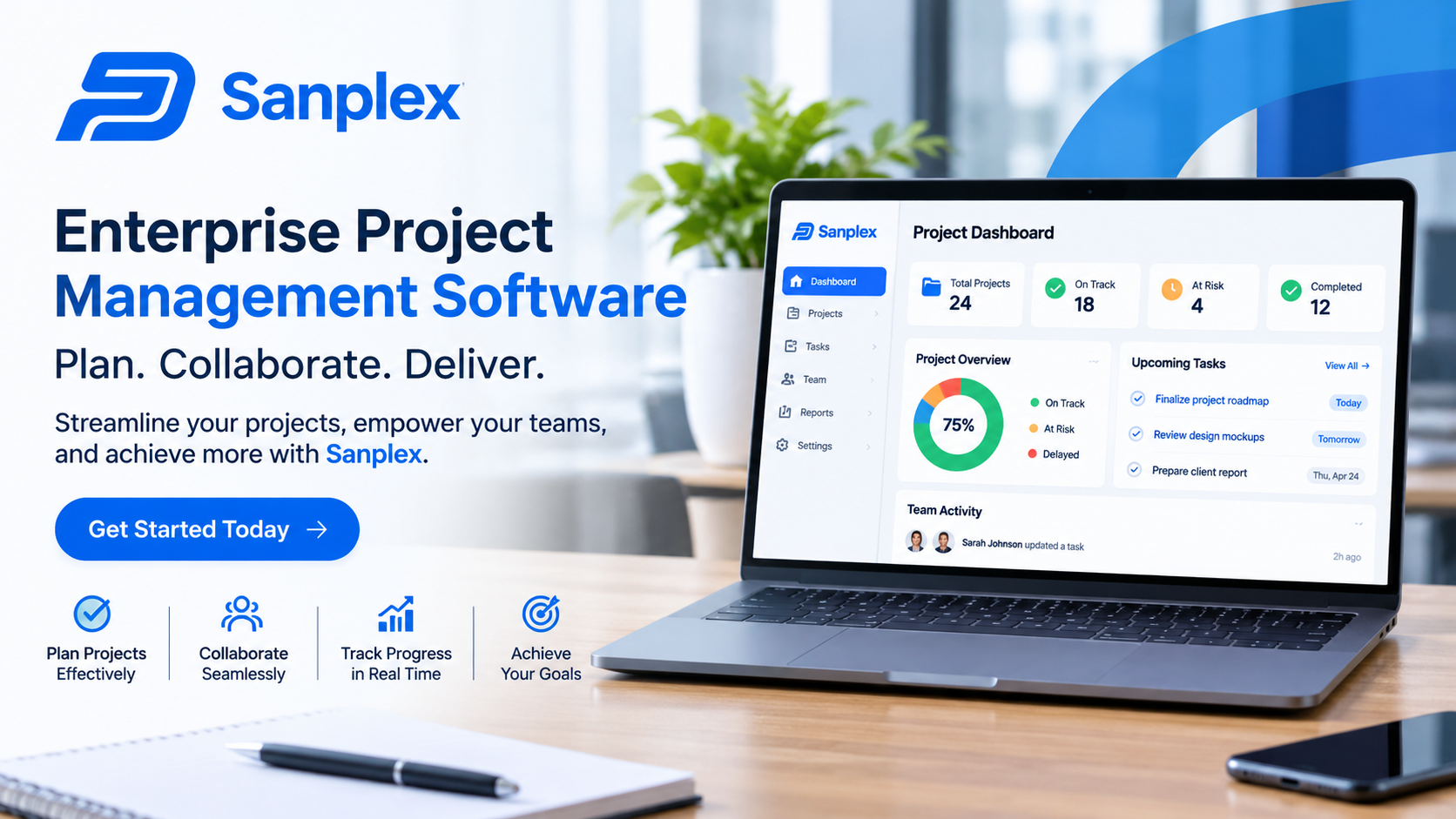
Enterprise Project Management Software: A Practical Guide for Growing Organisations

Managing projects across a large organisation requires more than assigning tasks and setting deadlines. Different departments may share resources, depend on the same suppliers, and work towards business objectives that affect one another. Without a consistent management process, important information can become scattered, budgets may be difficult to monitor, and project delays can go unnoticed. Enterprise Project Management Software helps organisations manage these challenges through a central platform for planning, coordinating, and monitoring work.
This software gives project managers and business leaders a clearer understanding of activities across the organisation. Instead of reviewing separate spreadsheets and email updates, they can access project schedules, resource information, financial data, and performance reports in one place. The result is a more organised approach to managing complex initiatives and making decisions based on reliable information.
2. Understanding Enterprise Project Management Software
Enterprise Project Management Software is designed to help businesses manage multiple projects, teams, and programmes within a connected system. It supports the full project management process, from initial planning and approval to execution, monitoring, and completion.
For example, a company introducing a new customer service platform may need its IT, finance, operations, training, and customer support teams to work together. Each department has separate responsibilities, but their activities are connected. Enterprise software helps managers coordinate these tasks, track dependencies, and monitor the overall delivery schedule.
Enterprise Project Management vs. Basic Project Tracking
Basic project tracking tools usually focus on individual tasks and smaller teams. Enterprise platforms provide a wider operational view.
They help organisations:
-
Manage several projects at the same time.
-
Compare project progress and performance.
-
Allocate employees across departments.
-
Monitor budgets and resource requirements.
-
Standardise approval and reporting processes.
-
Connect project activities with business priorities.
This broader approach is particularly useful when projects compete for the same resources or contribute to shared organisational goals.
3. Core Features That Support Enterprise Projects
Not every organisation needs the same software features. A business managing construction programmes may require detailed scheduling and cost controls, while a technology company may prioritise development workflows and team collaboration. Several capabilities are commonly valuable across industries.
Project Planning and Task Management
Planning features allow managers to define objectives, milestones, activities, responsibilities, and deadlines. Large projects can be divided into smaller tasks so employees understand what needs to be completed and when.
Task dependencies are also important. If one activity cannot begin until another is finished, the software can show that relationship. This helps managers understand how a delay in one area may affect the wider schedule.
Portfolio and Programme Management
A project portfolio includes the different projects an organisation is undertaking. Portfolio management helps leadership compare these initiatives and decide where time, money, and staff should be allocated.
For example, a business may be considering three major investments but have funding for only two. Portfolio reporting can help decision-makers compare expected benefits, costs, risks, and strategic importance before approving the work.
Resource and Capacity Planning
Employees often work across several projects. Without visibility into their workloads, managers may assign more tasks than teams can reasonably complete.
Resource planning tools show employee availability, existing assignments, and capacity. This information helps managers distribute responsibilities more fairly, identify skill shortages, and plan additional support when necessary.
Budget and Financial Monitoring
Project costs can change because of additional requirements, supplier price changes, or unexpected delays. Financial management features help managers compare approved budgets with actual and forecast expenses.
This makes it easier to identify overspending early, review the reasons behind cost differences, and adjust plans before financial problems become difficult to control.
Reporting, Dashboards, and Analytics
Dashboards provide a summary of project performance using information such as task completion, deadlines, costs, risks, and resource utilisation.
Different users can receive reports suited to their responsibilities. Project managers may need detailed activity reports, while executives may prefer a portfolio-level overview showing which initiatives are on track and which require attention.
4. How Enterprise Software Improves Project Delivery
The main purpose of an enterprise platform is not simply to store project information. It should help people coordinate work and respond to problems more effectively.
Stronger Communication Across Departments
When departments use separate systems, employees may rely on repeated emails or meetings to find out what other teams are doing. A shared platform gives authorised users access to relevant updates, documents, deadlines, and responsibilities.
This is useful for projects involving several departments, such as launching a new product or upgrading company infrastructure.
Earlier Identification of Risks
Project risks can involve schedule delays, budget increases, unavailable employees, or supplier problems. When project information is updated regularly, managers can identify warning signs earlier.
For instance, if a critical task remains incomplete close to its deadline, the project manager can investigate the reason and adjust the schedule or resources.
More Consistent Management Processes
Large organisations may have different project management practices across departments. Standard templates, approval workflows, and reporting formats help create consistency.
This does not mean every project must follow an identical process. Teams can use shared standards while adapting individual workflows to their specific requirements.
5. Practical Benefits and Key Insights
Enterprise Project Management Software can provide measurable operational improvements when it is implemented around clear business needs.
Important benefits include:
-
Improved visibility: Managers can review project status without collecting separate updates from every department.
-
Better resource utilisation: Workloads and availability become easier to compare across teams.
-
Stronger financial control: Budget tracking helps identify cost differences and spending risks.
-
Clearer accountability: Assigned responsibilities make it easier to understand who owns each activity.
-
Reduced manual administration: Automated reminders, approvals, and reports can reduce repetitive work.
-
Better prioritisation: Portfolio information helps leaders compare initiatives and direct resources towards important objectives.
Businesses should define how they will measure these improvements. Useful indicators include project completion rates, schedule performance, budget variance, resource utilisation, and the time required to complete approval processes.
6. Common Challenges and Considerations
Although enterprise platforms offer broad capabilities, successful implementation requires attention to practical issues.
Choosing a Suitable Platform
A system with many features is not automatically the best choice. Organisations should identify their requirements before comparing vendors.
Consider the number of users, project complexity, reporting needs, integrations, security requirements, and expected growth. A platform should solve existing problems without introducing unnecessary complexity.
Managing Employee Adoption
Employees may find a new system difficult if they receive limited training or do not understand how it supports their work.
Provide practical guidance on creating tasks, updating progress, sharing documents, and reviewing schedules. It is also useful to involve employees in testing the system before introducing it across the organisation.
Maintaining Accurate Information
Dashboards and reports are only useful when the underlying data is reliable. Organisations should establish clear rules for updating project status, budgets, schedules, and resource assignments.
Managers should also review data quality regularly rather than assuming that every displayed figure is current.
Reviewing Security and Integration
Enterprise platforms may contain confidential project documents, financial information, and business plans. Review access controls, authentication, audit logs, backup arrangements, and data protection measures.
Check whether the software integrates with existing finance, communication, document management, and business systems. Poor integration can create additional manual work.
7. How to Select the Right Software
A structured evaluation can reduce the risk of choosing an unsuitable platform.
-
Define business requirements: Identify current project management problems and the improvements the organisation expects.
-
Assess usability: Make sure employees and managers can use essential features without unnecessary complexity.
-
Review reporting tools: Confirm that the platform provides useful project and portfolio information.
-
Check scalability: Consider whether it can support additional teams, projects, and locations.
-
Compare total costs: Include subscriptions, implementation, training, support, and maintenance.
-
Run a pilot: Test the platform with a real project before introducing it across the organisation.
A pilot provides practical evidence about usability, performance, and compatibility with existing processes.
8. Frequently Asked Questions (FAQs)
1. What is Enterprise Project Management Software?
It is a platform that helps organisations plan, coordinate, monitor, and control multiple projects through shared tools for scheduling, resources, budgeting, reporting, and collaboration.
2. Is enterprise project management software suitable for small businesses?
Some platforms offer flexible plans that can support smaller organisations. However, businesses should compare the system's cost and complexity with their actual project management requirements.
3. Can it manage multiple departments?
Yes. It can provide shared project information, task assignments, resource plans, and reporting for different departments while allowing access permissions based on user roles.
4. How does it help control project costs?
It allows managers to compare planned budgets with actual and forecast expenses. This makes unexpected spending easier to identify and investigate.
5. What is the most important factor when selecting a platform?
The software should match the organisation's workflows and business requirements. Usability, security, integration, reporting, scalability, and total cost should all be considered.
9. Conclusion
Enterprise Project Management Software helps organisations manage complex projects through centralised planning, resource allocation, financial monitoring, reporting, and collaboration. It gives project managers better visibility into daily activities while helping business leaders understand how different initiatives contribute to organisational goals.
The best results come from selecting a platform that fits existing processes, training employees properly, and maintaining accurate project information. With a clear implementation strategy, organisations can improve coordination, manage resources more effectively, identify risks earlier, and maintain better control over project delivery.
