

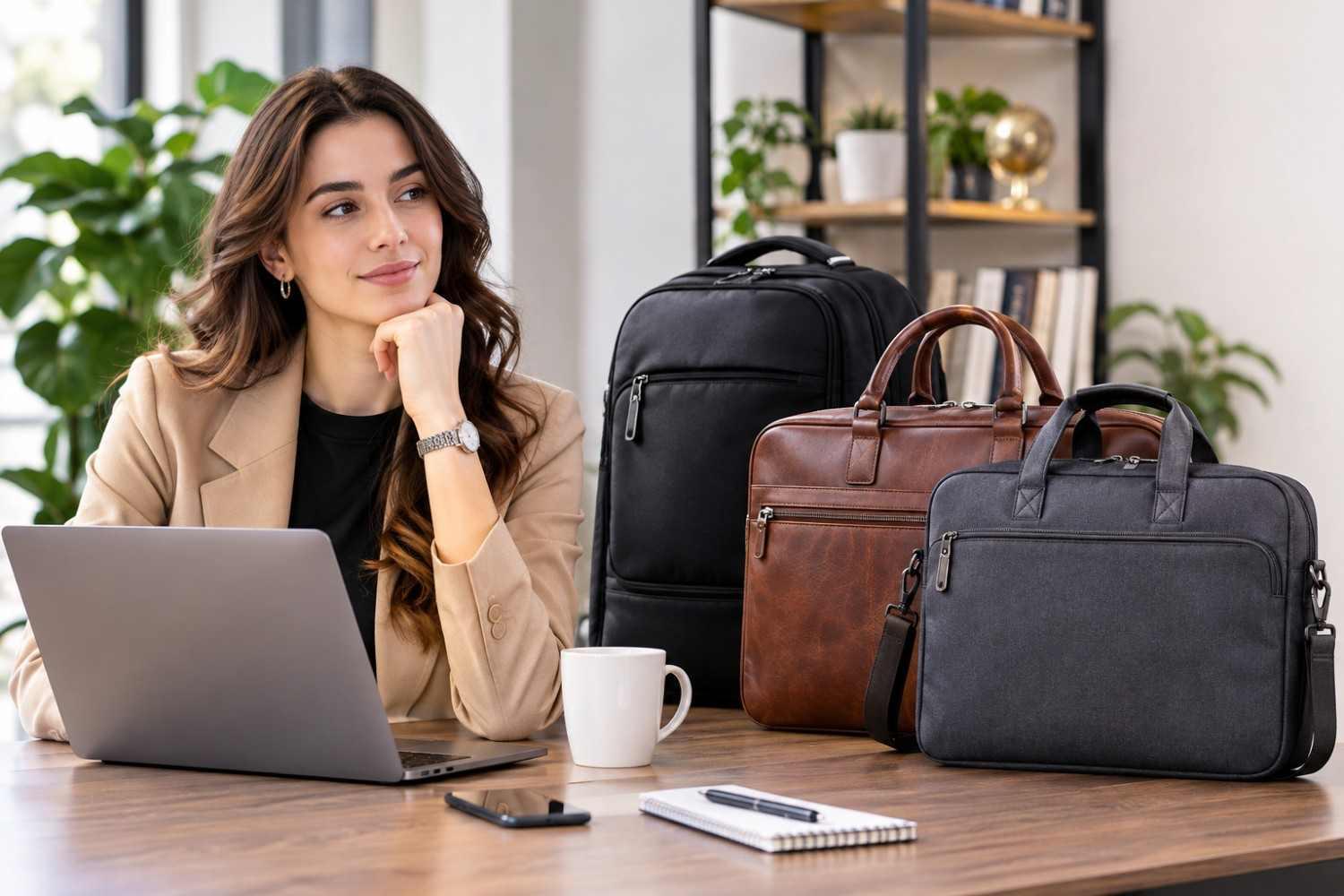

A well-organized laptop bag can make everyday work life much easier. Whether you commute to an office, attend business meetings, work remotely, or travel frequently, keeping your essentials in the right place saves time and reduces unnecessary stress. Searching for a charger, misplaced keys, or an important document in a cluttered bag can interrupt your routine and affect productivity.
The secret to maintaining an organized laptop bag is not simply carrying fewer items. It is creating a practical storage system where everything has a designated place. With the right habits and a thoughtfully designed bag, you can keep your belongings accessible, protect your electronic devices, and enjoy a smoother workday. Here are some useful ways to organize your laptop bag effectively.
1. Start by Separating Your Everyday Work Essentials
Before organizing your laptop bag, identify the items you genuinely need throughout the day. Carrying unnecessary belongings takes up valuable space and makes it harder to locate important accessories. Start by emptying your bag and sorting everything into categories.
Your everyday work essentials may include:
-
Laptop and tablet
-
Smartphone and charging cables
-
Wireless mouse and headphones
-
Notebook, planner, and pens
-
Business cards and important documents
-
Wallet, keys, and identification
-
Water bottle and personal care items
Once everything is sorted, decide which items you use regularly and which can stay at home. Keeping only necessary belongings makes your bag lighter and creates more room for important accessories.
A simple checklist can also help you avoid forgetting essential items before leaving home. This small habit makes daily packing more efficient and prevents unnecessary clutter from building up.
2. Use Dedicated Compartments for Better Organization
One of the easiest ways to maintain an organized laptop bag is to use its compartments properly. Instead of placing everything inside the main section, assign specific areas for different belongings.
For example, keep your laptop in its padded compartment, documents in a flat sleeve, and smaller accessories in separate zippered pockets. This arrangement prevents items from mixing together and makes everything easier to locate.
When choosing a bag, look for features such as:
-
A padded laptop compartment for device protection
-
Zippered pockets for valuable belongings
-
Interior slip pockets for phones and small accessories
-
Separate sections for notebooks and documents
-
Easy-access exterior pockets for frequently used items
These features are particularly useful when selecting laptop bags with practical storage. A bag with thoughtfully arranged compartments helps you establish a consistent organization system without sacrificing convenience or style.
3. Keep Electronic Accessories Together
Electronic accessories are among the easiest belongings to misplace inside a laptop bag. Charging cables, USB drives, power banks, adapters, and wireless earbuds can quickly create a tangled mess when stored loosely.
The best solution is to use a small tech organizer or zippered pouch. Place all your electronic accessories inside it so you can access everything whenever needed.
Consider organizing them in the following way:
-
Charging cables: Roll them neatly and secure them with cable ties.
-
Power bank: Store it in a separate protective pouch.
-
Wireless earbuds: Keep them in their original charging case.
-
USB drives and memory cards: Use a small dedicated holder.
-
Mouse and adapters: Keep them together in your tech organizer.
Avoid placing loose cables near sharp objects, keys, or other items that could damage them. Also, make sure your electronic accessories are completely dry before storing them.
This approach keeps your bag tidy and makes switching between home, office, and meeting locations much more convenient.
4. Arrange Documents, Notebooks, and Personal Items Separately
Paperwork is another important part of many professionals' daily routines. Meeting notes, printed reports, invoices, notebooks, and business documents should be stored carefully to prevent bending, creasing, or accidental damage.
Use a dedicated document sleeve or a flat compartment to keep papers organized. If you carry multiple documents, consider using labeled folders to separate personal paperwork, office assignments, and meeting materials.
Small personal belongings also deserve their own storage space. Keep your wallet, keys, identification cards, and business cards in secure pockets rather than allowing them to move freely around the main compartment.
For frequently used items, choose pockets that are easy to reach without removing your laptop or other belongings. This makes your bag more functional during busy mornings, office commutes, and professional meetings.
The goal is to create a simple arrangement where every category has a specific location. Once you develop this habit, packing and unpacking become much quicker.
5. Choose a Laptop Bag That Matches Your Daily Routine
Organization becomes considerably easier when your bag is designed around your everyday requirements. A stylish bag may look attractive, but it should also provide enough room, comfortable carrying options, and practical storage features.
Before purchasing a laptop bag, consider the size of your device, the number of accessories you carry, and how frequently you travel. Check the laptop compartment dimensions rather than relying only on the advertised bag size.
For example, professionals who carry laptops, notebooks, chargers, and personal belongings may benefit from a spacious design with multiple internal sections. Those who prefer a lighter setup might find a compact laptop carrier more suitable.
Explore bags for carrying everyday work accessories that combine useful storage with an attractive appearance. The right choice should complement your lifestyle while keeping your essential belongings secure and accessible.
You can also consider material, handle construction, zipper quality, and shoulder strap comfort. A practical design should support your routine without becoming unnecessarily heavy or difficult to carry.
6. Develop a Simple Daily Organization and Cleaning Routine
Even the most thoughtfully designed laptop bag can become cluttered without regular maintenance. Receipts, empty packaging, used tissues, and unnecessary accessories gradually take up space.
Spending just five minutes organizing your bag at the end of each workday can prevent this problem.
Follow these simple habits:
Remove unnecessary items: Take out old receipts, wrappers, and documents you no longer need.
Check your accessories: Make sure your charger, headphones, mouse, and other essentials are in their designated places.
Organize paperwork: Remove completed assignments and arrange documents needed for the following day.
Clean the interior: Occasionally empty your bag and remove dust or small debris using an appropriate cleaning method.
Prepare for tomorrow: Pack the items required for your next workday before going to bed.
It is also important to avoid overloading your bag. Carrying excessive weight can make commuting uncomfortable and place unnecessary strain on the handles and shoulder straps.
If your bag is made from leather or another delicate material, follow the manufacturer's care recommendations to maintain its appearance and durability.
Final Thoughts
Keeping your laptop bag organized is a simple habit that can make a noticeable difference in your professional routine. By separating everyday essentials, using dedicated compartments, protecting electronic accessories, and maintaining a regular cleaning schedule, you can create a practical storage system that works for your lifestyle.
The right bag also plays an important role. Look for a design that offers sufficient space, reliable protection, comfortable carrying options, and convenient compartments for your daily belongings.
At ZESOUL, practical functionality and everyday style come together through thoughtfully selected bags and accessories. Choose a laptop bag that suits your needs, establish an organization routine, and enjoy a more comfortable, prepared, and productive workday.
