


What Happens Inside a Laptop After Liquid Spills
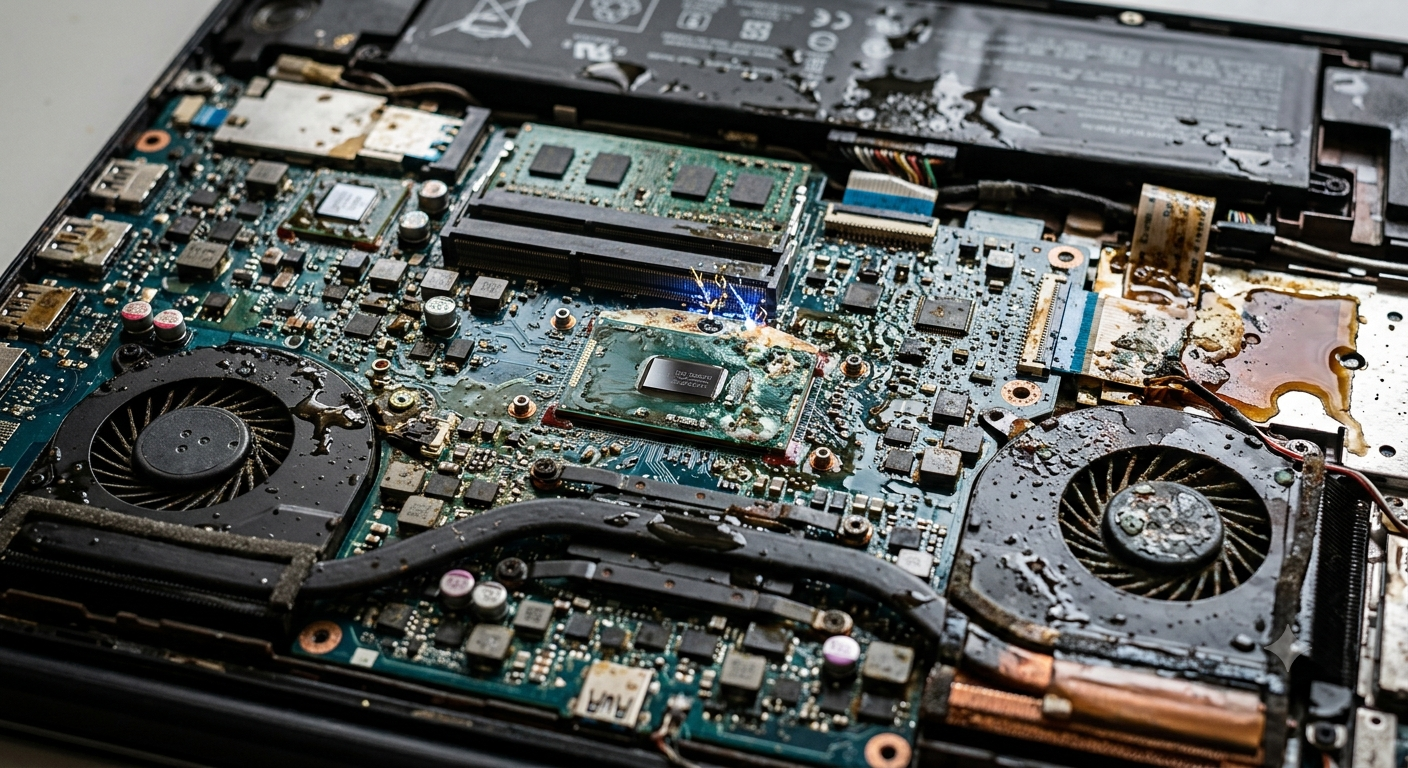
Accidentally spilling water, coffee, tea, or another beverage on your laptop can be alarming. Even a small amount of liquid has the potential to affect delicate internal components and create problems that may not appear immediately. While some laptops continue working after a spill, hidden damage can develop over time, leading to performance issues, hardware failures, and costly repairs if the device is not inspected properly.
Understanding what happens inside a laptop after a liquid spill helps you respond quickly and minimize the damage. Professional technicians at iPC Repair Houston regularly repair laptops affected by liquid exposure, using specialized equipment to inspect and clean internal components. If the accident also damages the display, laptop screen repair Houston services can be completed during the same repair process, restoring both functionality and appearance.
Why Liquid Is Dangerous for Laptops
Laptops contain tightly packed electronic components that operate using low-voltage electrical circuits. Liquids can interfere with these circuits almost immediately, especially if the laptop remains powered on after the spill.
Common liquids that cause damage include:
- Water
- Coffee
- Tea
- Soda
- Juice
- Energy drinks
- Milk
- Alcoholic beverages
Although water is harmful, sugary or acidic drinks often create even greater problems because they leave behind sticky residue that continues damaging components long after the liquid has dried.
The First Few Seconds After the Spill
As soon as liquid reaches the keyboard or ventilation openings, it begins moving through small gaps inside the laptop.
Depending on where the spill occurs, liquid may reach:
- Keyboard circuitry
- Touchpad connectors
- Battery
- Motherboard
- Cooling system
- Storage drive
- Display connectors
If electricity is flowing while the liquid is present, short circuits may occur almost instantly.
Electrical Short Circuits
One of the biggest dangers following a liquid spill is an electrical short circuit.
When moisture bridges electrical pathways that were never meant to connect, it can:
- Interrupt normal operation
- Damage integrated circuits
- Burn sensitive components
- Cause the laptop to shut down unexpectedly
In severe cases, permanent motherboard damage may occur within seconds.
Corrosion Begins Quickly
Even after the visible liquid appears to dry, corrosion may continue developing inside the laptop.
Corrosion occurs when moisture reacts with metal contacts, gradually weakening electrical connections.
Affected components may include:
- Motherboard traces
- Charging circuits
- USB ports
- Display connectors
- Keyboard contacts
This gradual deterioration explains why some laptops begin malfunctioning days or even weeks after the original spill.
The Keyboard May Stop Responding
The keyboard is usually the first component exposed to liquid.
After a spill, you may notice:
- Sticky keys
- Unresponsive keys
- Random characters appearing
- Certain keys working intermittently
Although keyboard replacement sometimes solves the issue, technicians must also inspect the internal circuitry for hidden liquid damage.
Battery and Charging Problems
Liquid reaching the battery compartment or charging circuitry can create unstable power delivery.
Possible symptoms include:
- Laptop won't charge
- Battery drains unusually fast
- Charging indicator behaves unpredictably
- Unexpected shutdowns
Professional diagnostics determine whether the battery, charging port, or motherboard has been affected.
Storage Devices May Be at Risk
Your laptop's SSD or hard drive stores valuable personal and business data.
While solid-state drives are generally more resistant than traditional hard drives, moisture can still damage storage electronics.
Potential warning signs include:
- Missing files
- Startup errors
- Slow system performance
- Failure to detect the storage drive
Immediate professional attention increases the chances of protecting important data.
Cooling System Contamination
Many people focus only on the keyboard after a spill, but liquid can also enter the cooling system.
Residue left behind may:
- Reduce airflow
- Damage cooling fans
- Trap dust
- Increase operating temperatures
Overheating caused by contaminated cooling components can eventually lead to additional hardware failures.
Display Problems Can Develop
Liquid damage doesn't always remain confined to internal electronics. Moisture can travel toward the display assembly through hinges and internal cables.
Possible symptoms include:
- Flickering images
- Black spots
- Vertical lines
- Screen discoloration
- Complete display failure
If the display is affected, professional laptop screen repair Houston services restore proper screen functionality while technicians inspect for additional liquid-related damage throughout the device.
Why Rice Is Not a Complete Solution
Placing a wet laptop inside a container of rice has become a popular home remedy, but it does not remove liquid trapped beneath integrated circuits or inside connectors.
Rice cannot:
- Remove corrosion
- Clean sticky residue
- Repair electrical damage
- Dry hidden internal components completely
Relying solely on rice may delay professional treatment while corrosion continues spreading.
The Importance of Professional Cleaning
Liquid damage requires more than simply drying the laptop.
Professional repair technicians:
- Safely disassemble the device.
- Disconnect the battery.
- Clean internal components using specialized solutions.
- Remove corrosion.
- Inspect electrical circuits.
- Test hardware functionality.
This process greatly improves the chances of saving the laptop and preventing future failures.
What You Should Do Immediately After a Spill
Quick action significantly increases the likelihood of successful repair.
Follow these steps:
- Turn the laptop off immediately.
- Disconnect the charger.
- Remove any connected accessories.
- If possible, disconnect the battery or avoid turning the laptop back on.
- Gently dry the exterior with a lint-free cloth.
- Seek professional inspection as soon as possible.
Avoid repeatedly pressing keys or attempting to power the laptop back on before it has been properly inspected.
Why Choose Professional Repair
Liquid damage often creates hidden problems that are impossible to identify through visual inspection alone.
At iPC Repair Houston, experienced technicians perform comprehensive diagnostics to determine exactly which components have been affected. Internal cleaning, corrosion removal, hardware testing, and component-level repairs help restore your laptop whenever possible. If your accident also resulted in a cracked or malfunctioning display, screen repair Houston TX services can be completed alongside the liquid damage repair, providing a complete solution under one roof.
Preventing Future Liquid Damage
While accidents cannot always be avoided, a few simple precautions greatly reduce the risk.
Helpful habits include:
- Keep drinks away from your workspace.
- Use spill-resistant containers.
- Avoid eating directly over your laptop.
- Transport liquids separately when traveling.
- Store your laptop in a protective case.
Developing these habits helps protect your laptop from one of the most common causes of hardware failure.
Conclusion
A liquid spill may seem like a minor accident, but the damage inside your laptop can begin within seconds. Short circuits, corrosion, battery problems, storage failures, keyboard malfunctions, overheating, and display issues are all possible consequences if the device is not inspected promptly. Acting quickly and seeking professional repair greatly improves the chances of saving both your laptop and your important data.
Whether you need emergency liquid damage diagnostics, reliable laptop screen repair Houston, or expert screen repair Houston TX services, iPC Repair Houston has the experience and equipment to restore your device safely and efficiently. Prompt professional care can make the difference between a simple repair and a complete laptop replacement.

 Bangla