


Vector Art Services for High Quality Scalable Designs
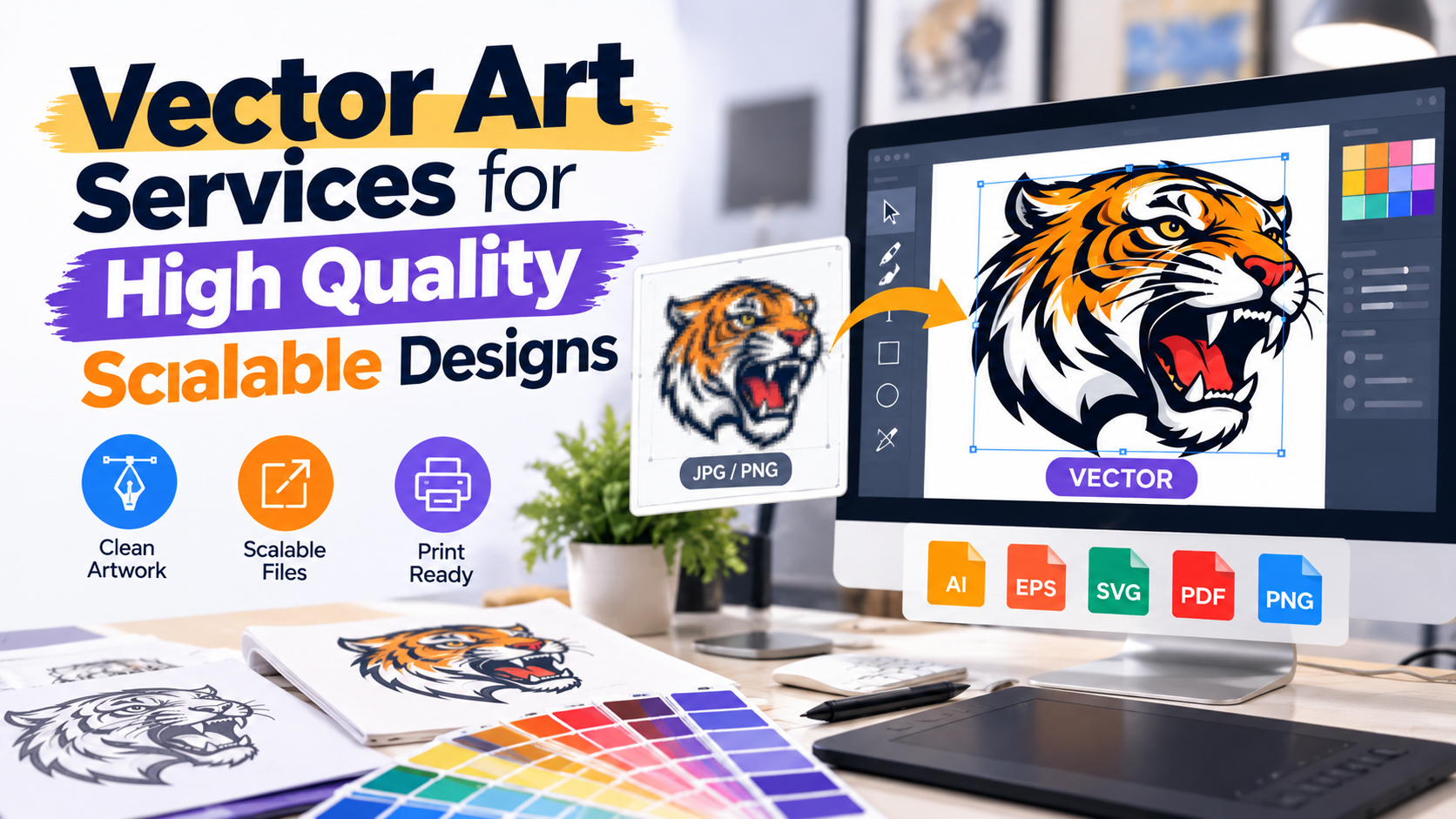
Artwork needs to stay clear whether you use it on a small product label or a large sign. Our vector art services convert raster images into clean, scalable vector artwork that can be resized without the same pixelation problems associated with low resolution images. Through our premium vector art services, we can recreate logos, illustrations, and other graphics as flexible vector files for printing, branding, signage, apparel, and other production needs.
At iDigitize, we focus on manually recreating important design elements using vector paths, curves, lines, and shapes. This gives you editable artwork that can be adapted to different sizes and applications while maintaining smooth, defined edges.
What Are Vector Art Services?
Vector art services are used to convert raster graphics into vector based artwork.
Raster files such as JPG and PNG are made from pixels. Every raster image has a specific resolution. If you enlarge a small raster image beyond its available resolution, the pixels can become visible and the design may appear blurry or jagged.
Vector artwork works differently. Instead of relying on a fixed pixel grid, vector graphics are constructed from mathematical paths, points, curves, lines, and shapes.
This means vector elements can be scaled up or down while maintaining smooth edges.
For example, a small JPG logo might work on a website but become pixelated when enlarged for a banner. Recreating that logo as vector artwork provides a more flexible master file for both small and large applications.
Why Are Scalable Vector Designs Important?
Scalability gives you greater flexibility when the same artwork needs to be used in different places.
A company logo might appear on:
-
Business cards
-
Websites
-
Product packaging
-
Apparel
-
Vehicle graphics
-
Promotional products
-
Signs
-
Large banners
Creating a separate design from scratch for every size is inefficient. A properly prepared vector master gives you a flexible source that can be adapted for multiple uses.
Professional vector art services are particularly useful when the original artwork exists only as a small or low quality raster image.
Raster vs Vector: What Is the Difference?
The main difference between raster and vector graphics is how the image information is created and stored.
Raster Graphics
Raster images consist of individual pixels arranged in a grid.
Common raster formats include:
-
JPG
-
PNG
-
GIF
-
TIFF
Raster formats are widely used for photographs and other detailed images. Their quality, however, depends on resolution.
When you enlarge a low resolution raster image, the software must enlarge the pixels as well. Eventually, the edges can appear rough or blurry.
Vector Graphics
Vector graphics are constructed using paths, points, lines, curves, and shapes.
Common vector formats include:
-
AI
-
EPS
-
SVG
-
Vector based PDF
Because the main graphic elements are mathematically defined, they can be scaled without the same resolution limitations as raster graphics.
This makes vector artwork particularly suitable for logos, icons, lettering, line artwork, and illustrations that need to work at multiple sizes.
What Makes High Quality Vector Artwork?
Simply converting an image into a file with a vector extension does not automatically create high quality vector artwork.
A well prepared vector file should have clean and controlled design elements.
Smooth Paths and Curves
Good vector artwork uses smooth paths that accurately follow the intended design.
Poor automatic conversions can create hundreds of unnecessary anchor points around a simple curve. This can make the artwork harder to edit and may produce uneven edges.
Accurate Shapes
The recreated artwork should maintain the important proportions, shapes, and visual characteristics of the source design.
This becomes especially important with logos because small changes to shapes can affect the overall appearance of the brand.
Clear Details
Small details should be recreated carefully where they are relevant to the final application.
Not every tiny pixel artifact in a low quality image should become part of the vector artwork. The objective is to recreate the actual design rather than reproduce compression noise or accidental imperfections.
Organized Artwork
Well structured vector artwork is easier to edit and prepare for future applications.
Our premium vector art services focus on producing usable vector artwork rather than simply changing one file format into another.
How We Convert Raster Images Into Vector Designs
Our vector conversion process focuses on rebuilding the important visual elements of your artwork.
1. Send Us Your Source Artwork
You provide the artwork that needs to be converted.
Your source may include:
-
JPG files
-
PNG images
-
Low resolution logos
-
Scanned graphics
-
Hand drawn artwork
-
Illustrations
-
Older artwork without original design files
We recommend sending the clearest source file available. A better reference helps us understand small details, curves, lettering, and other important design elements.
2. We Review the Artwork
We examine the visual structure of the design before recreating it.
This includes looking at elements such as shapes, outlines, curves, text, colors, and overall proportions.
Understanding how the artwork will eventually be used can also help determine how it should be prepared.
3. We Recreate the Design
Our team rebuilds the artwork using vector paths, points, curves, and shapes.
Manual recreation gives us greater control than relying entirely on automatic tracing software.
It allows important edges and design elements to be recreated more deliberately while avoiding unnecessary paths created by pixel based imperfections.
4. We Check the Artwork
The completed vector artwork should be checked for visual accuracy and clean construction.
This can include reviewing curves, shapes, details, and overall appearance before the final file is prepared.
5. You Receive the Vector File
The completed artwork can be provided in an appropriate vector format for its intended use.
Manual Vector Tracing vs Automatic Conversion
Automatic vector tracing can be useful for basic images, but it does not always create clean professional artwork.
Tracing software analyzes the pixels in an image and automatically attempts to create paths around them.
This can cause problems when the source image contains:
-
Blurry edges
-
Compression artifacts
-
Small text
-
Complicated shapes
-
Rough curves
-
Shadows
-
Gradients
-
Low resolution details
The software may interpret these imperfections as part of the design.
As a result, an automatic conversion can contain excessive anchor points, uneven lines, or distorted shapes.
Manual vector art services give us more control over what should actually be included in the final design. Instead of following every imperfect pixel, we can focus on recreating the intended artwork.
Where Can Scalable Vector Artwork Be Used?
Vector artwork supports many professional applications because it can be adapted to different dimensions.
Logo and Brand Design
A vector logo gives businesses a flexible master graphic that can be prepared for different branding materials.
Professional Printing
Vector artwork can be useful for business stationery, posters, packaging, labels, promotional products, and other printed materials.
Large Format Signs
Signage and banners may require artwork at much larger dimensions than ordinary digital graphics. Scalable vector elements can be enlarged while maintaining clean edges.
Screen Printing
Clean vector artwork can provide a practical starting point for preparing graphics for screen printing.
Vinyl Cutting
Vinyl cutting equipment works with vector paths to determine where cuts need to be made. Clean and controlled paths are therefore important for suitable vinyl artwork.
Laser Cutting and Engraving
Compatible laser production workflows may also use vector lines and shapes when preparing artwork for cutting or engraving.
Apparel and Merchandise
Vector graphics can be useful source artwork for apparel printing and other merchandise production.
Vector artwork can also provide a clean visual reference before embroidery digitizing. However, vector conversion and embroidery digitizing are different processes because an embroidery machine requires stitch information rather than standard vector paths.
Common Vector Conversion Mistakes
One common mistake is assuming that changing the file extension creates genuine vector artwork.
Saving a JPG as a PDF, for example, does not necessarily convert the raster image into vector paths. The PDF may simply contain the original pixel based image.
Other problems include:
-
Excessive anchor points
-
Jagged paths
-
Broken lines
-
Distorted lettering
-
Missing design elements
-
Incorrect shapes
-
Poorly recreated curves
-
Unnecessary overlapping paths
These issues may become more noticeable when the artwork is enlarged or prepared for production.
Professional vector art services focus on rebuilding the actual design so that the resulting artwork is cleaner and more practical to use.
What Should You Provide for Vector Conversion?
You do not always need the original design file to begin vector conversion. If your original file is unavailable, send us the best version of the artwork you currently have.
For better project clarity, provide:
-
The clearest source image available
-
Your required vector file format
-
The intended use of the artwork
-
Any important color requirements
-
Details that must remain unchanged
-
Relevant production specifications, if available
If your printer or production provider has supplied specific artwork requirements, include those details as well.
Clear information helps us understand how the vector artwork needs to function after conversion.
Create a Flexible Master File for Your Artwork
A clean vector file gives you more freedom to use the same artwork across different sizes and applications. Instead of depending on a small JPG or pixelated logo, you can maintain scalable artwork that is easier to edit and prepare for future production projects.
At IDigitize, our vector art services help convert raster images into clean, scalable vector designs. If you have a logo, illustration, sketch, or low quality image that needs a more flexible format, you can send us your artwork and requirements so we can prepare a vector version for your intended application.
Frequently Asked Questions
What are vector art services?
Vector art services convert raster images such as JPG and PNG files into graphics built from vector paths, curves, points, and shapes. Vector artwork is useful when a design needs to be resized, edited, printed, cut, or prepared for other compatible production applications.
Can a low quality image be converted into vector artwork?
Yes. Low resolution artwork can often be manually recreated as vector graphics. The quality of the source image affects how clearly details can be interpreted, so we recommend providing the best available version of your artwork along with any useful references.
Can vector artwork be enlarged without losing quality?
Vector paths and shapes can be enlarged without the same pixelation that occurs when low resolution raster images are scaled up. However, any raster elements left inside the vector document will still have their original resolution limitations.
Which file formats are used for vector artwork?
Common vector formats include AI, EPS, and SVG. PDF can also contain vector artwork when the file has been created correctly. The most appropriate format depends on the software, printer, or production process where the artwork will be used.
Is vector conversion the same as embroidery digitizing?
No. Vector conversion creates scalable graphic artwork using paths and shapes. Embroidery digitizing converts artwork into stitch instructions that an embroidery machine can interpret. A clean vector design can be useful source artwork for digitizing, but it is not itself an embroidery machine file.

 Bangla