

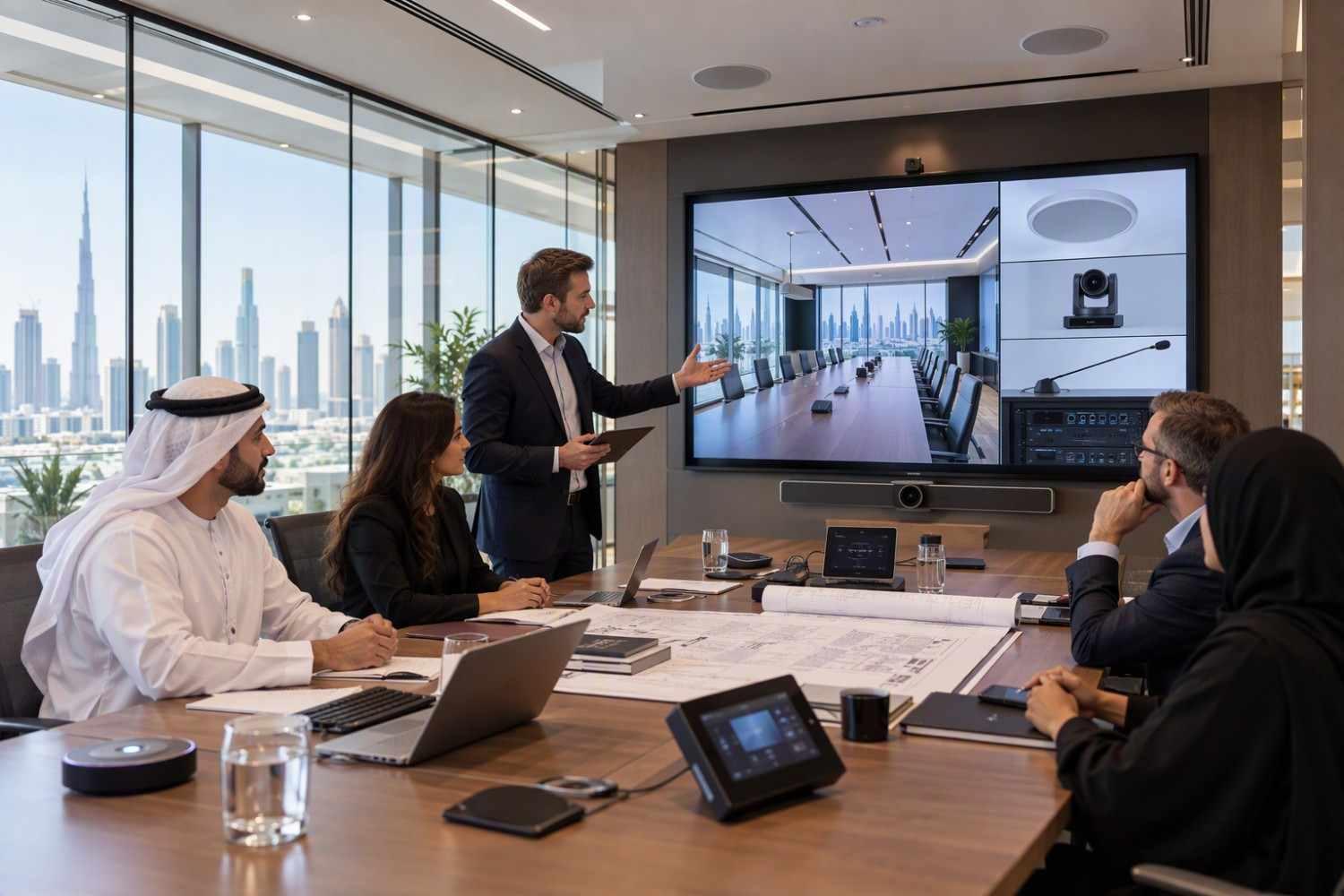

Network connectivity plays an important role in modern audio-visual systems. It allows different devices to communicate, share information, and work together. From video conferencing to wireless presentations, a stable network helps businesses use their AV equipment without interruptions. When planning AV integration Services UAE, network connectivity should be considered from the beginning because it affects how smoothly displays, cameras, speakers, and control systems operate.
1. Connecting Different AV Devices
Modern AV systems include several devices, such as display screens, cameras, microphones, speakers, and control panels. These devices need to communicate with each other to complete different tasks.
Network connectivity helps connect these devices through wired or wireless connections. For example, a presentation shared from a laptop can appear on a meeting room display. At the same time, audio can be sent through connected speakers.
A properly connected system makes it easier to manage multiple devices from one place. It also reduces the need to operate every piece of equipment separately.
2. Supporting Video Conferencing
Video conferencing is now a common part of business communication. Companies use platforms such as Zoom and Microsoft Teams to connect employees, customers, and business partners in different locations.
A stable network connection helps video conferencing systems send and receive clear audio and video. If the internet connection is weak, users may experience frozen screens, delayed voices, or dropped calls.
For better performance, businesses should consider:
-
A reliable internet connection
-
Suitable network speed
-
Stable connections for cameras and microphones
-
Proper network equipment
-
Enough bandwidth for multiple users
These requirements help meetings run smoothly and make communication easier for everyone.
3. Improving Wireless Screen Sharing
Wireless screen sharing allows users to present information without connecting their laptops to a display using cables. Employees can share presentations, documents, images, and videos from compatible devices.
This feature is useful in meeting rooms where different people need to present information during discussions.
However, wireless screen sharing depends on a stable network. A weak connection can cause delays, poor picture quality, or interruptions.
Businesses should check network coverage and device compatibility before installing wireless presentation equipment. A wired connection can also be kept as an alternative when wireless sharing is not available.
4. Managing AV Equipment from One Place
Network connectivity makes central AV control possible. It allows users to manage connected equipment through a touch panel, computer, or other control interface.
For example, an employee may use one control panel to switch on a display, adjust speaker volume, select a presentation source, and manage room settings.
This reduces the need for separate remote controls and makes the system easier to operate.
Central control is especially useful in large offices, conference rooms, classrooms, and commercial buildings where several AV devices are installed.
5. Maintaining Clear Audio and Video Quality
Audio and video quality depend on more than the equipment itself. The network also plays an important role in delivering information between connected devices.
For example, video conferencing requires data to move between cameras, computers, meeting platforms, and displays. If the network cannot handle this data properly, users may notice poor video quality or audio delays.
Network bandwidth is important because it determines how much data can move through the connection at one time.
Businesses should consider the number of connected devices, the type of AV activities, and the number of people using the network. This helps reduce interruptions during important meetings and presentations.
6. Supporting Smart Buildings and Automation
Network connectivity is also important in buildings that use connected technology. It allows different systems to communicate and respond to user instructions.
For example, a smart office may connect meeting room displays, lighting controls, speakers, and room management systems through a shared network.
Some systems can also connect AV equipment with automation controls. Users may be able to select a meeting mode that adjusts the display, lighting, and audio settings together.
This type of integration can make office spaces easier to manage. However, each connected device must be compatible with the network and the control system.
7. Choosing Between Wired and Wireless Connections
Businesses can use both wired and wireless connections for modern AV systems. Each option has different benefits.
Wired connections: Ethernet cables provide stable network access for devices such as control processors, video conferencing equipment, and network-based AV systems. They are useful where consistent performance is important.
Wireless connections: Wi-Fi allows laptops, tablets, and mobile devices to connect without physical cables. It provides flexibility for presentations and everyday device use.
The right choice depends on the room layout, equipment requirements, and network conditions.
Many offices use a combination of both options. Important AV equipment can use wired connections, while personal devices can connect through Wi-Fi.
8. Protecting AV Networks from Security Risks
Connected AV equipment can create security risks if network access is not managed properly. Unauthorised users may try to access connected devices or interfere with system operations.
Businesses should follow basic network security practices to protect their equipment.
These include using strong passwords, updating device software, controlling network access, and separating AV equipment from general office devices when required.
Network administrators should also monitor connected devices and check for unusual activity.
Good security planning helps protect business information and keeps AV systems working as expected.
9. Planning Network Requirements Before Installation
Network planning should begin before AV equipment is installed. This helps businesses understand the connections, power points, and network capacity required for the complete system.
First, identify the number of devices that will connect to the network. Then consider their bandwidth requirements, installation locations, and communication needs.
It is also useful to plan cable routes and network access points before completing the office layout.
Testing the network after installation can help identify weak signals, connection problems, and areas where additional equipment may be required.
Planning early can reduce installation changes and help the AV system support future business needs.
10. Keeping the Network and AV System Updated
Network equipment and AV devices need regular maintenance. Software updates can improve device performance, fix technical problems, and support compatibility with newer systems.
Businesses should regularly check network switches, routers, wireless access points, and connected AV equipment.
It is also important to test video conferencing, wireless presentations, and central control functions. If a problem appears, identifying it early can prevent interruptions during meetings.
A simple maintenance schedule can help IT teams keep the network and AV equipment in good working condition.
