

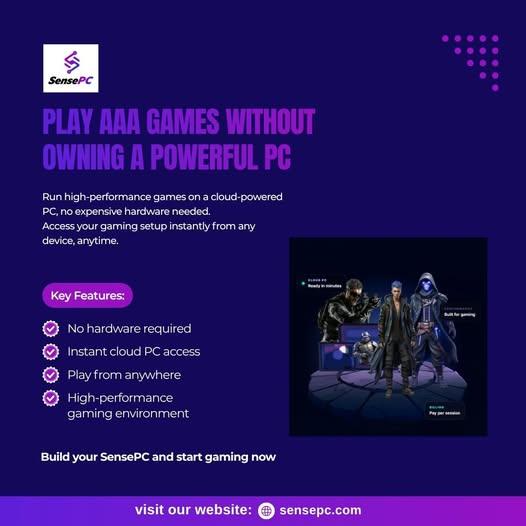
Cloud computing for gaming is changing how people access high-performance PC gaming without purchasing expensive computer hardware. Instead of relying on a physical gaming desktop, users can connect to powerful remote computers hosted in data centers and stream their gaming experience over the internet.
With the growing popularity of cloud gaming PCs and cloud desktops, gamers can enjoy greater flexibility, airgpu access Windows-based environments, and use compatible devices such as laptops and Macs. Services like SensePC make remote computing more accessible through flexible cloud PC solutions.
What Is Cloud Computing for Gaming?
Cloud computing for gaming uses remote servers to run games and process demanding graphics. The gameplay is streamed to the user's local device, while keyboard, mouse, and controller inputs are transmitted to the cloud computer.
This approach reduces the need for expensive local hardware. Even a standard laptop can access a powerful remote gaming environment, provided it has a stable internet connection.
Cloud computing for gaming is particularly useful for people who want to play PC games without constantly upgrading their processors, graphics cards, or memory.
What Are Cloud Gaming PCs?
Cloud gaming PCs are virtual computers hosted on remote servers with computing resources designed for demanding applications, including PC gaming.
Unlike conventional best cloud gaming platforms that offer access to selected game libraries, some cloud gaming PC services provide a complete Windows desktop environment.
Depending on the provider, users may be able to:
-
Access a remote Windows gaming computer.
-
Install compatible games and applications.
-
Connect gaming platforms such as Steam and Epic Games.
-
Use a laptop or Mac to access remote computing resources.
-
Select different hardware configurations.
-
Pay for computing time according to their usage.
This flexibility makes virtual gaming PCs an attractive option for gamers who want more control over their computing environment.
How Cloud Desktops Support PC Gaming
Cloud desktops provide remote access to virtual computers through an internet connection. They are not limited to gaming and can also support productivity applications, development tools, and other demanding workloads.
For gaming, a cloud desktop with suitable GPU resources can function like a remote gaming computer.
Some important benefits include:
1. Reduced Hardware Investment
You can access remote computing resources without purchasing an expensive gaming desktop.
2. Device Flexibility
Connect to your cloud desktop using compatible laptops, Macs, and other supported devices.
3. Remote Windows Environment
A Windows-based cloud desktop can provide access to familiar applications, gaming platforms, and desktop tools.
4. Flexible Usage
Depending on the provider, you may choose hourly access, pay-as-you-go pricing, or subscription plans.
5. Less Physical Maintenance
The cloud provider manages the underlying server infrastructure, reducing the need to maintain your own high-performance computer.
SensePC: Flexible Cloud Computing for Gaming
SensePC provides cloud-based Windows computers for users who want access to powerful remote desktops without purchasing expensive physical hardware.
With SensePC, users can connect to a remote cloud PC and stream their Windows desktop to compatible devices, including laptops and Mac computers.
Its pay-as-you-go approach offers flexibility for people who do not want to commit to a traditional monthly subscription. Users can purchase computing time when they need additional processing power.
For gamers exploring cloud computing for gaming, SensePC offers an alternative to traditional hardware upgrades and conventional gaming setups.
Whether you want to access a virtual gaming PC, use a remote Windows desktop, or explore cloud desktops for different computing needs, SensePC provides a flexible way to access computing resources.
How to Choose the Best Cloud Gaming PC
Before selecting a cloud computing provider, consider these important factors:
-
GPU performance: Check graphics capabilities and available configurations.
-
Processor and RAM: Ensure the hardware supports your gaming requirements.
-
Internet connection: Stable connectivity helps reduce interruptions and latency.
-
Server location: Choose a provider with suitable server availability for your region.
-
Pricing: Compare hourly costs, subscriptions, and additional storage charges.
-
Game compatibility: Verify support for your preferred games and platforms.
Frequently Asked Questions
1. What is cloud computing for gaming?
It is a technology that runs games on remote servers and streams gameplay to a user's device over the internet.
2. Are cloud gaming PCs better than regular gaming PCs?
They can reduce upfront hardware costs and maintenance, but performance depends on internet quality, server hardware, and pricing.
3. Can I use cloud desktops for gaming?
Yes. Cloud desktops with suitable GPU resources can run compatible PC games remotely.
4. Can I access a cloud gaming PC on a Mac?
Yes. Compatible cloud PC services allow Mac users to access remote Windows environments.
5. Does SensePC offer pay-as-you-go cloud PCs?
Yes. SensePC offers flexible pay-as-you-go computing access without requiring a traditional monthly subscription.
Conclusion: Cloud computing for gaming provides a flexible way to access powerful computing resources without investing in expensive physical hardware. By exploring cloud gaming PCs and remote cloud desktop, gamers can discover new ways to enjoy PC gaming. SensePC offers a practical option for users seeking flexible remote Windows computing.
